LoAi: Offline AI Image Generator for iPhone & Android — Text, Sketch & Photo to Image
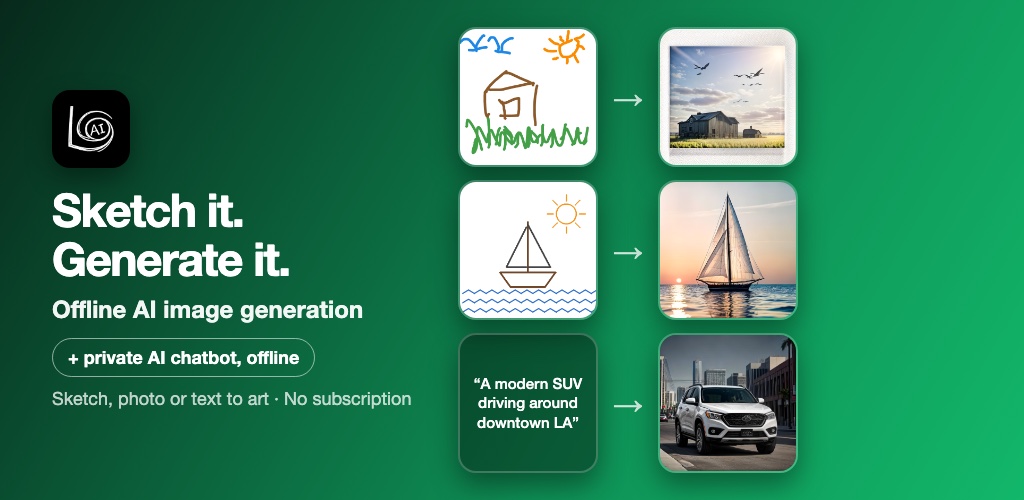
Three ways to create an image
1. Text to image
Describe what you want, pick a style and tap Generate. Your phone does the rest. The example below came from a plain one-line prompt: "A modern SUV driving around downtown LA" with the Photo style selected.
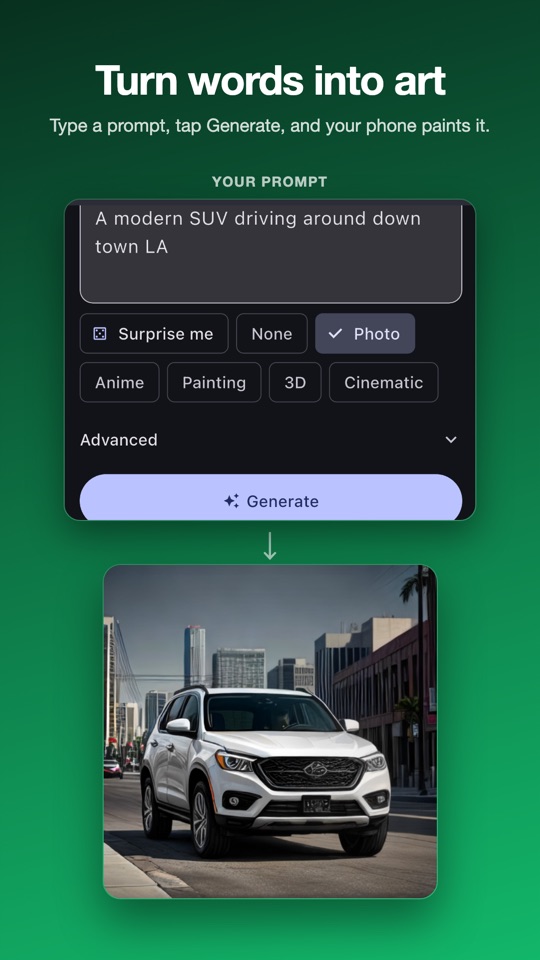
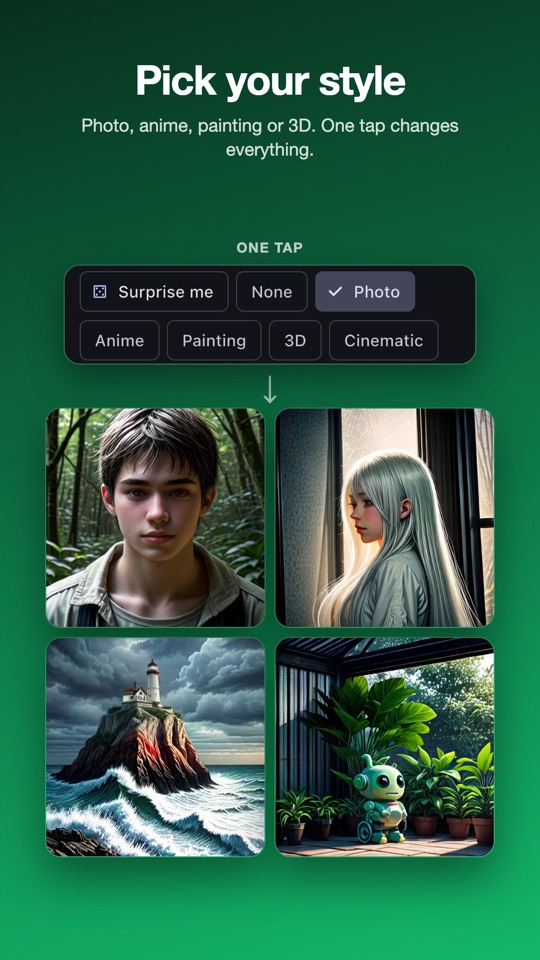
Left: a prompt becomes a photo. Right: one tap switches the style.
Stuck for ideas? Surprise me fills in a random prompt. There is also an optional negative prompt field, where you list things you don't want in the picture.
2. Sketch to image
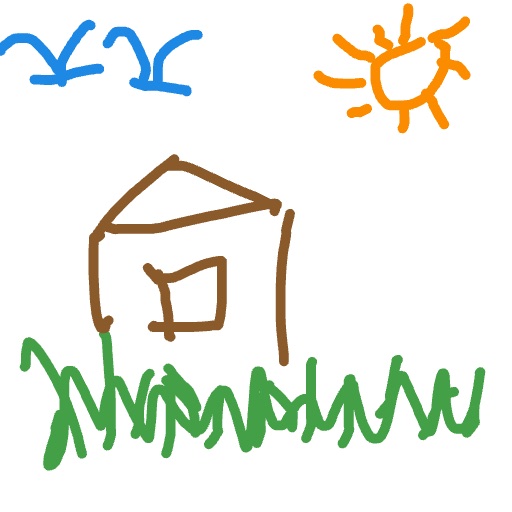
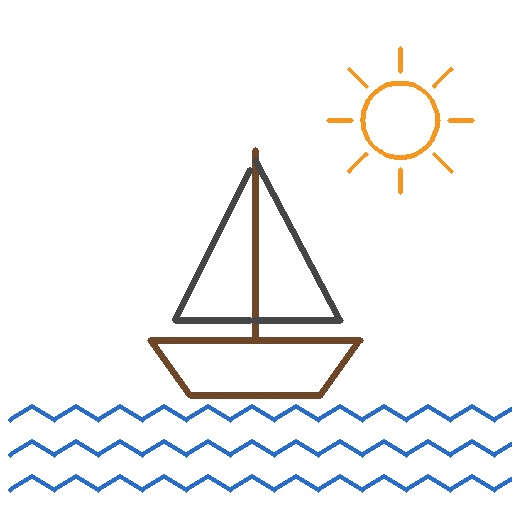
This is the fun one. Open the built-in canvas, draw a few rough lines, and LoAi keeps your composition while filling in the detail. You don't need any drawing skill. These are real inputs and outputs:
 →
→
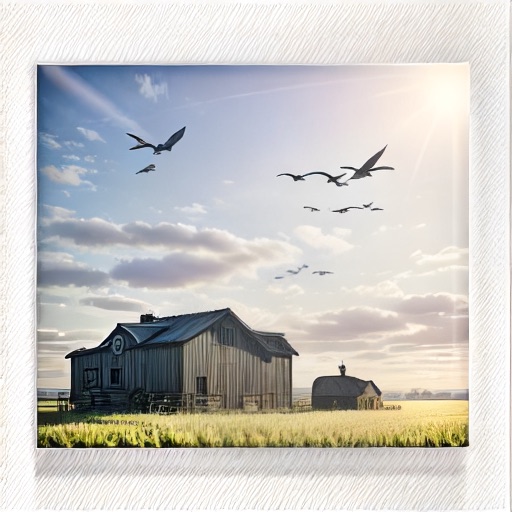
A 10-second doodle becomes a farmhouse at golden hour.
 →
→
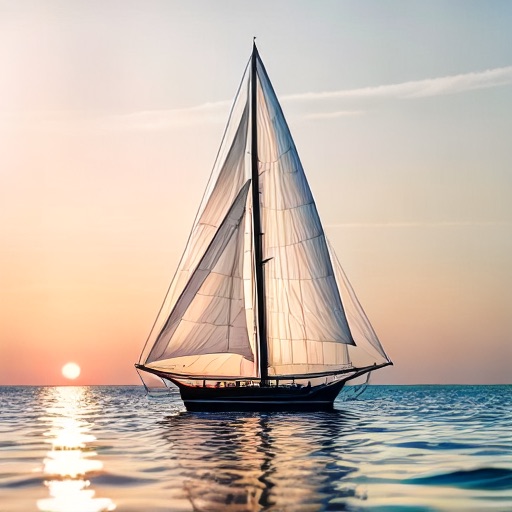
A stick-figure sailboat becomes a sunset scene.
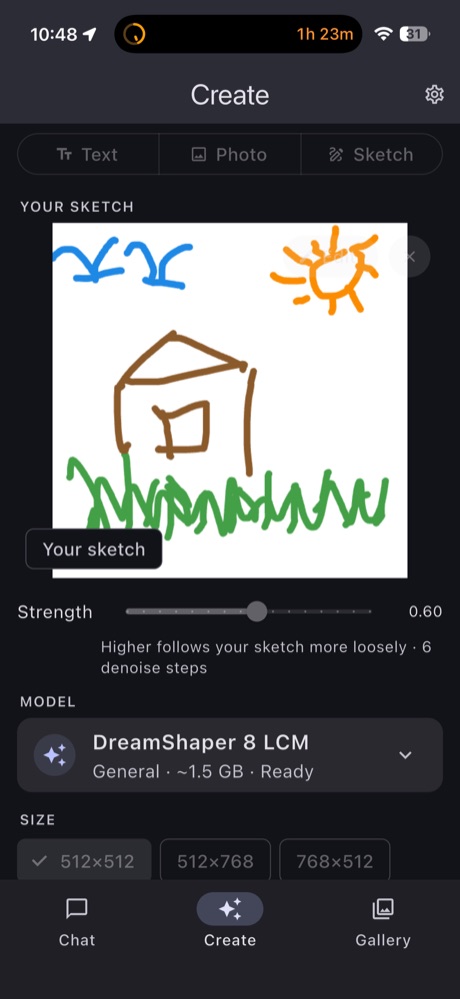
A Strength slider (default 0.60) controls how closely the result follows your sketch. Lower values stay close to your lines. Higher values give the model more freedom to reinterpret them.
3. Photo to image
Pick any photo from your gallery and reimagine it in a new style. Turn a holiday snap into an oil painting, or a pet photo into an anime character. The same Strength slider decides whether the result stays close to the original or drifts far away from it.
One-tap styles
Style presets add the right wording to your prompt for you, so you don't have to learn prompt engineering. Choose from Photo, Anime, Painting, 3D or Cinematic, or pick None to write everything yourself.
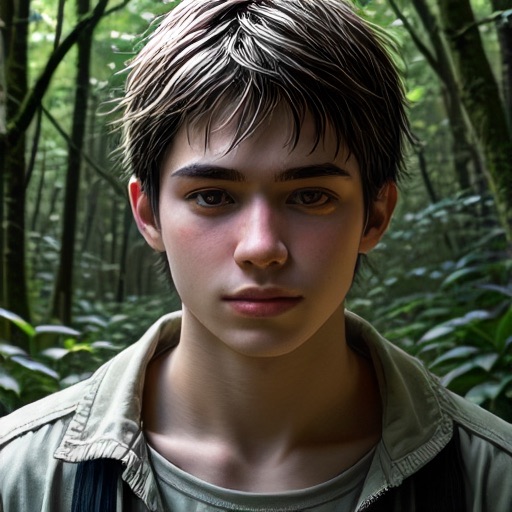 Photo
Photo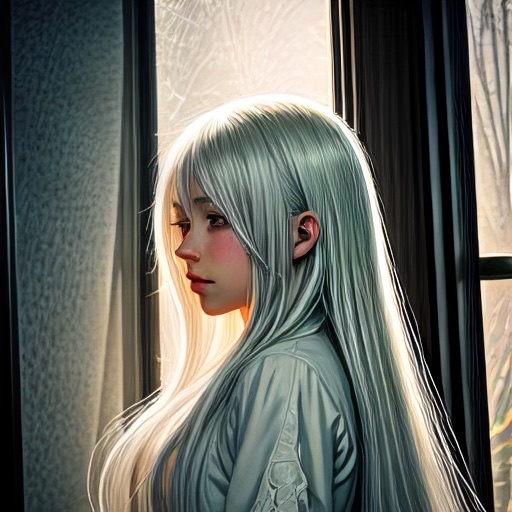 Anime
Anime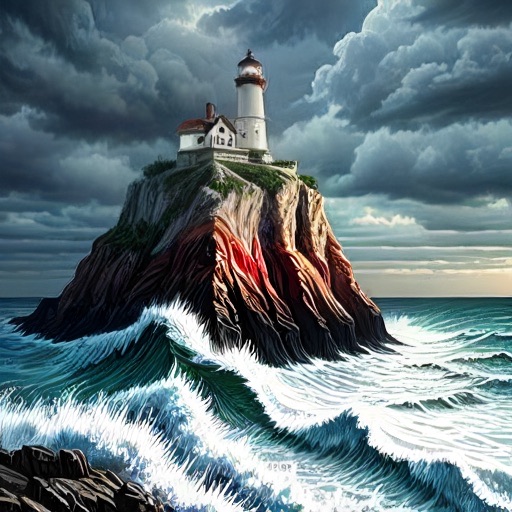 Painting
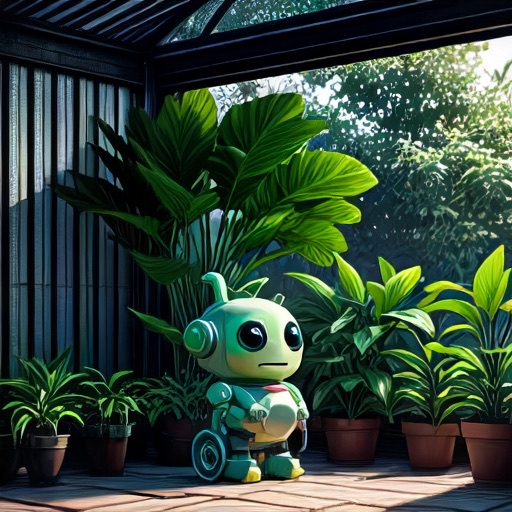 3D
3DAll four images were generated on a phone, fully offline.
The image models
LoAi runs Stable Diffusion 1.5 class models through stable-diffusion.cpp, an open-source engine built for running diffusion models on everyday hardware. You download the models you want from a curated catalog and can switch between them at any time:
| Model | Best for | Download | Default steps |
|---|---|---|---|
| DreamShaper 8 LCM | All-round, a good first pick | ~1.6 GB | 5 |
| DreamShaper 8 LCM (HQ) | Same model, slightly finer detail, more RAM | ~1.8 GB | 5 |
| Realistic Vision 6 Hyper | Photorealistic people, places and products | ~1.6 GB | 6 |
| Anything v3 LCM | Anime and illustration | ~1.6 GB | 5 |
| DMD2 DreamShaper | Speed: good results in 1–4 steps | ~1.6 GB | 4 |
These are "few-step" models (LCM, Hyper and DMD2). A classic diffusion model needs 25–50 denoising steps per image, which is far too slow on a phone. These need 4–6, and that is what makes on-device generation practical. Output sizes are 512×512 (square), 512×768 (portrait) and 768×512 (landscape).
If you like to tinker, the Advanced panel exposes steps, guidance, seed and size.
A gallery that remembers the recipe
Every image is saved on your device together with the prompt, seed and settings that produced it. Find one you like, load its settings back into Create, and change a single word, the style or the seed. It is the easiest way to refine a result without starting from scratch.
Why offline matters for image generation
Almost every popular AI image generator runs in the cloud. You type a prompt, it goes to a server, and you pay in credits, a monthly subscription, or both. LoAi takes the opposite approach:
| LoAi | Typical cloud generator | |
|---|---|---|
| Where it runs | On your phone | Their servers |
| Internet needed? | Only for the one-time model download | Every image |
| Cost per image | Free, unlimited | Credits or a monthly plan |
| Your prompts and photos | Never leave the device | Uploaded to a server |
| Queue / rate limits | None | Common on free tiers |
| Top-end image quality | Good, 512–768 px | Higher, larger images |
The privacy point matters most in photo to image mode. If you're restyling pictures of your kids, your home or yourself, it's reassuring to know those photos never leave your phone.
The AI chatbot is still here
Nothing was taken away. LoAi's offline chat still runs language models directly on your phone, with real-time streaming, even in airplane mode:
- Models: Llama 3.2 (1B and 3B), Gemma 3 (1B and 4B), Gemma 4 E2B, Gemma 2 2B, Phi-3.5 Mini, BitNet b1.58 2B4T, Bonsai 8B, and more.
- Vision: ask the AI to describe a photo or read the text in an image (SmolVLM).
- Documents: drop in a PDF, Word file, spreadsheet or text file and ask questions about it.
- Chat history with search, plus import and export of backups.
To keep things running smoothly, LoAi never holds a chat model and an image model in memory at the same time. When you switch to Create, it frees the chat model first.
Honest caveats
- It takes a bit of patience. Expect roughly 20–60 seconds per image, depending on your phone, model, steps and size. DMD2 DreamShaper is the quickest.
- It uses battery. Diffusion is some of the heaviest work a phone can do. Generating dozens of images in a row will drain the battery noticeably.
- Storage. Each image model is about 1.6 GB. Most people only need one or two.
- Quality ceiling. These are compact SD 1.5 class models at 512–768 px. They produce very good results, but the biggest cloud models still win on fine detail, readable text inside images, and hands.
- Older phones. Image generation needs a fair amount of free memory, so very old or low-RAM devices may struggle.
What's free and what's Pro
| Feature | Free | LoAi Pro (one-time) |
|---|---|---|
| Text, sketch and photo to image | ✓ Unlimited | ✓ Unlimited |
| All catalog image models and styles | ✓ | ✓ |
| Gallery with saved settings | ✓ | ✓ |
| Offline AI chat, vision and document Q&A | ✓ | ✓ |
| Import your own custom models | — | ✓ |
| Ad-free | — | ✓ |
There are no credits and no monthly subscription. Pro is a single purchase for people who want an ad-free experience or want to load their own models.
LoAi — Offline Image Generator
Sketch it. Generate it. Free AI image generation and private AI chat that run 100% on your phone. Text, sketch or photo to art, with no internet, no credits and no subscription. iOS & Android.
FAQ
Is LoAi's image generator really free?
Yes. Image generation is unlimited, with no credits, no daily caps and no subscription. The free version shows ads. An optional one-time Pro purchase removes them and unlocks importing custom models.
Does LoAi need the internet to generate images?
Only to download a model the first time. Each image model is about 1.6 GB, plus a 10 MB image decoder. After that, every image is generated on your phone and the app works in airplane mode.
How long does it take to generate an image on a phone?
Typically 20–60 seconds, depending on your phone, the model, the step count and the image size. DMD2 DreamShaper is the fastest and can produce a usable image in 1–4 steps. Generation uses a noticeable amount of battery.
What AI image models does LoAi use?
Stable Diffusion 1.5 class models running locally through stable-diffusion.cpp: DreamShaper 8 LCM (standard and HQ), Realistic Vision 6 Hyper, Anything v3 LCM and DMD2 DreamShaper.
Can I turn my own drawing or photo into AI art?
Yes. Sketch mode gives you a canvas: draw rough lines and LoAi keeps your composition while filling in detail. Photo mode reimagines any picture from your gallery. In both, the Strength slider controls how far the result moves away from your input.
Are my prompts and images private?
Generation happens entirely on your device. Your prompts, sketches, photos and results are never uploaded to a server, and they are stored in the gallery on your phone.
Is the AI chatbot still in LoAi?
Yes. Offline chat with Llama 3.2, Gemma 3, Gemma 4, Phi-3.5 Mini, BitNet b1.58 and more is still there, along with photo description and questions about PDF, Word, Excel and text files.
Which phones does LoAi work on?
iPhone (iOS 15 or later) and Android. Image generation works best on a reasonably recent phone with enough free memory and about 1.6 GB of free storage per image model.